
How to Buy the Right Laptop: A Guide to Navigating Modern Computing
Shopping for a laptop can be an overwhelming experience filled with technical jargon and confusing specifications. This comprehensive guide breaks down the essential components you need to understand, from processors and operating systems to RAM, storage, and displays. Learn how to match your specific needs with the right hardware, avoid overspending on unnecessary features, and find a laptop that truly fits your lifestyle and budget. Whether you're a student, professional, or casual user, this guide provides clear, practical advice for making an informed decision.
Navigating the laptop market today feels like deciphering a foreign language. Between processor acronyms, storage options, and endless feature lists, finding the right machine can be frustrating even for tech-savvy shoppers. This guide will help you cut through the confusion by explaining the practical aspects of laptop components and how they relate to your actual needs. We'll break down the jargon and provide clear recommendations so you can make an informed decision without getting lost in technical specifications.

Start with Your Use Case and Budget
Before diving into technical specifications, ask yourself the fundamental question: What will you primarily use this laptop for? Your answer will guide every subsequent decision. Are you looking for a business machine for office work and web browsing? Do you need something for creative work like video editing or graphic design? Or perhaps portability and battery life are your top priorities for use on planes and in coffee shops. Understanding your primary use case prevents overspending on unnecessary features while ensuring you don't compromise on what matters most.
Budget is equally important. The $1,000 price point serves as a significant threshold in the laptop market. Below this price, you'll find capable machines, but above it, laptops typically feel more premium with fewer compromises. Many excellent Windows laptops and the base MacBook Air start around this price, often dropping to $700 during sales. If your budget is under $600, you'll need to be patient to find worthwhile Windows options, while Chromebooks often provide better value in this range with faster performance and longer battery life compared to similarly priced Windows machines.
Choosing Your Operating System
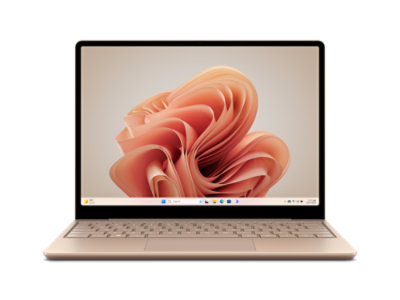
The operating system decision often comes down to familiarity and specific software requirements. Windows remains the most widely used OS with the broadest application support and hardware variety, making it a safe default choice. If your workplace requires specific Windows applications or you need access to the largest selection of software and hardware configurations, Windows is likely your best bet. Every new Windows laptop now comes with Windows 11, offering a range of options from budget models to high-end gaming machines and versatile 2-in-1 designs.
macOS offers a different approach, tightly integrated with Apple's hardware ecosystem. If you already own an iPhone or iPad, the seamless connectivity features like AirDrop and Universal Control make MacBooks particularly convenient. Apple's hardware quality is consistently excellent, though your options are limited to MacBook models. ChromeOS serves as a budget-friendly alternative for users who primarily work within a web browser, with Chromebooks offering good value at lower price points, though with limitations on professional software like Adobe Creative Suite or Microsoft Office.
Understanding Modern Processors
The processor (CPU) is your laptop's brain, and today's market features four major competitors: Intel, Qualcomm, AMD, and Apple. Intel's latest chips use the Core Ultra branding, with the V-series (like Core Ultra 7 258V) offering excellent balance of performance and battery life for most users. The letter at the end of Intel's model numbers indicates power envelope and intended use—V-series chips are designed for premium thin-and-light laptops with good efficiency, while H and HX chips target gaming and content creation with higher performance.
Qualcomm made significant waves in 2024 with its Snapdragon X series chips, which use ARM architecture similar to Apple's approach. These chips deliver impressive battery life and competitive performance, with models starting as low as $799. The major concern with ARM-based Windows laptops has been app compatibility, but this has largely been resolved with most major applications now offering native ARM versions. AMD continues to compete primarily in gaming laptops, while Apple's M-series chips power MacBooks with industry-leading performance-per-watt efficiency.
Memory and Storage Considerations
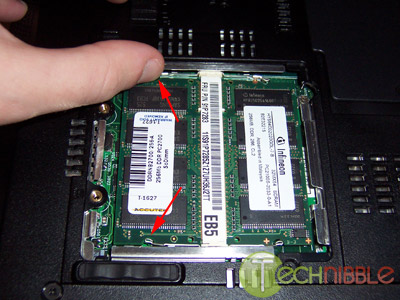
Random-access memory (RAM) has become increasingly important as applications grow more demanding. While 8 GB was once standard, 16 GB has become the new baseline for 2025. This is particularly important as even budget Copilot+ PC laptops now start at 16 GB. For gaming or content creation, consider 32 GB for optimal performance. One crucial consideration is that most modern laptops have soldered RAM that cannot be upgraded later, so choose your configuration carefully at purchase time.
Storage needs vary significantly by user. For those who primarily use cloud services, 256 GB may suffice, but 512 GB provides comfortable breathing room for most users. High-end gaming laptops typically start at 1 TB. Be aware of storage type differences—NVMe SSDs offer the best performance, while eMMC storage (common in budget Chromebooks) is slower and usually soldered to the motherboard. The looming memory shortage may affect laptop prices and configurations in 2026, making current configurations with adequate RAM particularly good value.
Display and Port Selection
Screen size significantly impacts both portability and usability. The 14-inch category offers the best balance for most users, providing sufficient screen real estate while remaining portable. 13-inch laptops maximize portability for frequent travelers, while 16-inch models cater to users prioritizing performance and screen space. Resolution has standardized around 2560 x 1600 for premium laptops, offering sharp text and images. Consider additional features like touchscreens for creative work or higher refresh rates (90-120 Hz) for smoother scrolling and better gaming experiences.
Port availability varies widely between models. Ultra-portable laptops often feature only USB-C ports and a headphone jack, while more versatile models include USB-A, HDMI, and sometimes SD card slots for photographers. Thunderbolt 5 is emerging on high-end gaming laptops, offering increased bandwidth and up to 240 watts of power delivery. Most modern laptops charge via USB-C, which offers convenience and compatibility with portable chargers, though it's important to use quality chargers from reputable brands to avoid damaging your battery.
Final Considerations and Where to Buy
Beyond specifications, consider practical aspects like webcam quality (1080p has become standard), hinge design, keyboard feel, and trackpad quality. If possible, visit a store to physically test models you're considering—being unable to open a laptop with one hand or dealing with a poor keyboard can significantly impact daily usability. Speaker quality varies widely, with most laptops offering basic stereo setups, though some premium models feature four or six-speaker configurations for better audio.
Finding exactly what you want requires shopping around. Manufacturer websites often list every possible configuration separately, which can be overwhelming. Retailers like Amazon, Best Buy, and B&H frequently offer different configurations and pricing. Pay close attention to specifications when comparing models, as retailers may offer exclusive configurations. Consider warranty options as well—manufacturer warranties from companies like Dell and Lenovo have proven reliable for addressing potential issues.
Ultimately, the perfect laptop balances technical specifications with personal preferences and practical considerations. By understanding your needs, budget, and the key components that matter most for your use case, you can navigate the complex laptop market with confidence and find a machine that serves you well for years to come.